Learn
Understand ideas and syntax through concrete examples and comparison tables. Compare easily confused concepts, such as matrix and element-wise operations.
Learn, reason, and put code into practice.
From variables and arrays to data visualization and numerical simulation. Read the explanations, reason about code, and try it in MATLAB® Mobile™. Build your understanding one lesson at a time, from White Belt to Black Belt.
Available on the App Store · Free · iPad only
Learn · Reason · Practice
Work through each lesson in three stages. Quiz answers and practice checks are saved on your device, so you can return where you left off.
Understand ideas and syntax through concrete examples and comparison tables. Compare easily confused concepts, such as matrix and element-wise operations.
Predict what code will do and check your understanding with three questions per lesson. Read the reasoning behind each answer.
Copy examples into MATLAB® Mobile™ and run them. Observe the results, complete the checks, and assess your own progress.
Four belts
There are 36 core lessons and one optional advanced lesson: 37 lessons and 111 questions in total. Home progress covers the 36 core lessons.
Learn basic calculations, variables, arrays, and conditionals, and check the results with short pieces of code.
Use scripts, loops, and functions to create repeatable processes and reusable code.
Study files, tables, visualization, and descriptive statistics. Practice with five bundled CSV training files.
Model altitude, velocity, and fuel, then build numerical simulation, flight controls, logs, landing checks, and an autopilot step by step.
Optional advanced challenge
Record device orientation in MATLAB® Mobile™, then replay that recording to control a landing. Explore sensor acquisition, visualization, and conversion into control input.
This is not a live tilt-control game running inside Programming Dojo for MATLAB®. Code execution and sensor recording take place in MATLAB® Mobile™.
Check your achievement using quiz feedback and the practice checklist. The app does not automatically grade MATLAB execution results.
In the app
These iPad screenshots show the Japanese interface; the app also includes an English interface and lessons. Select an image to enlarge it. The lunar-landing images show the learning material, not a running game.
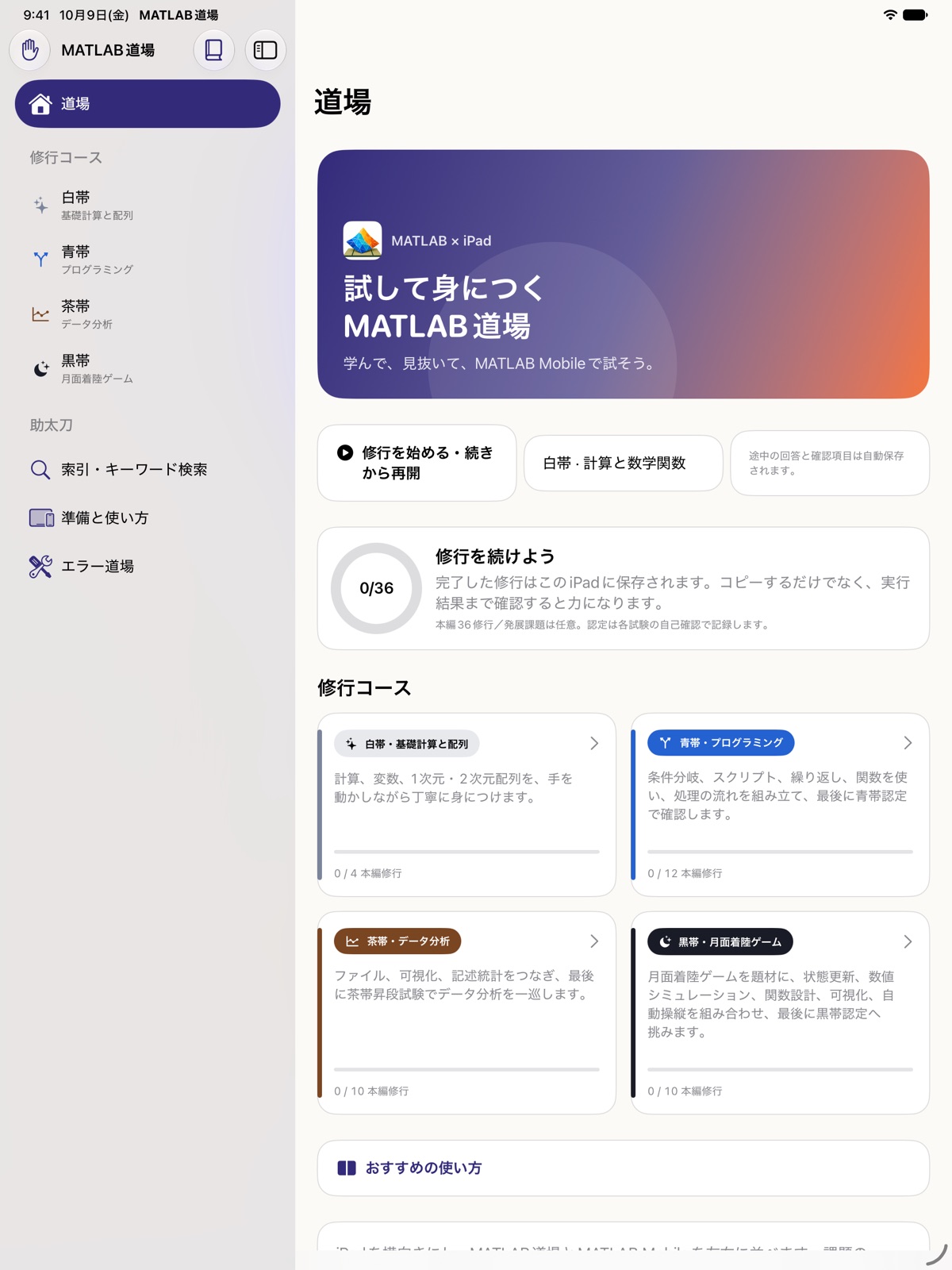
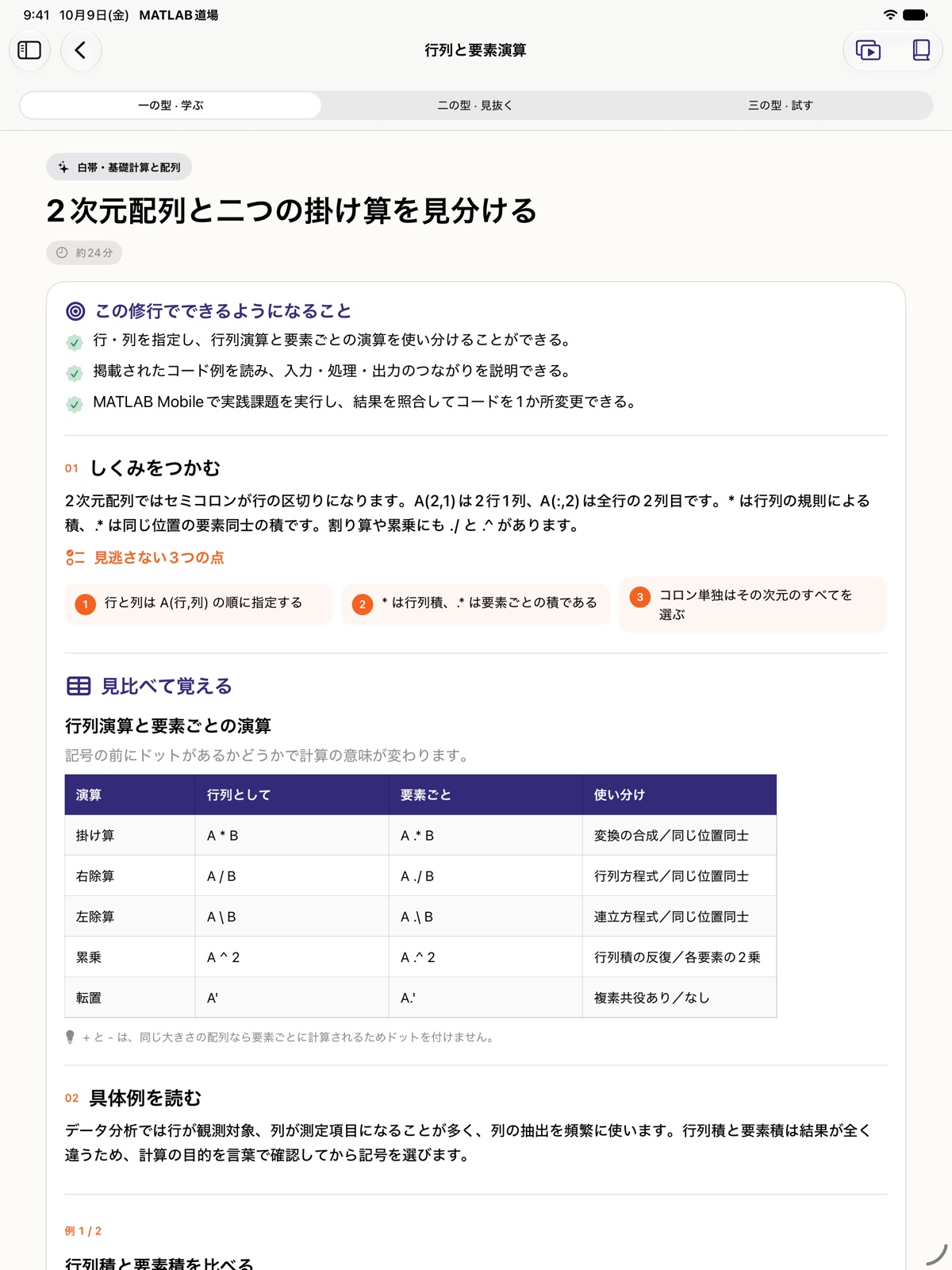
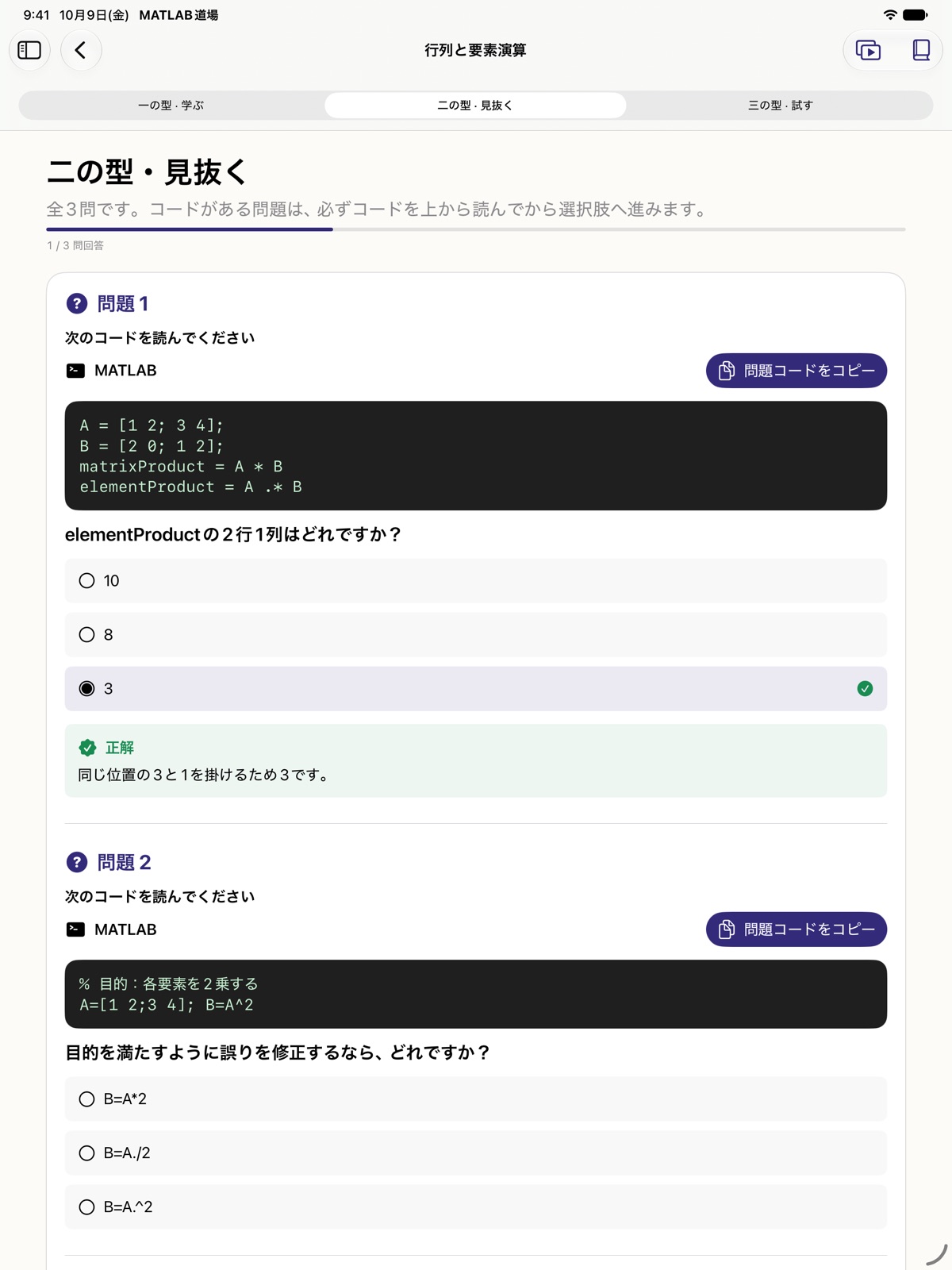
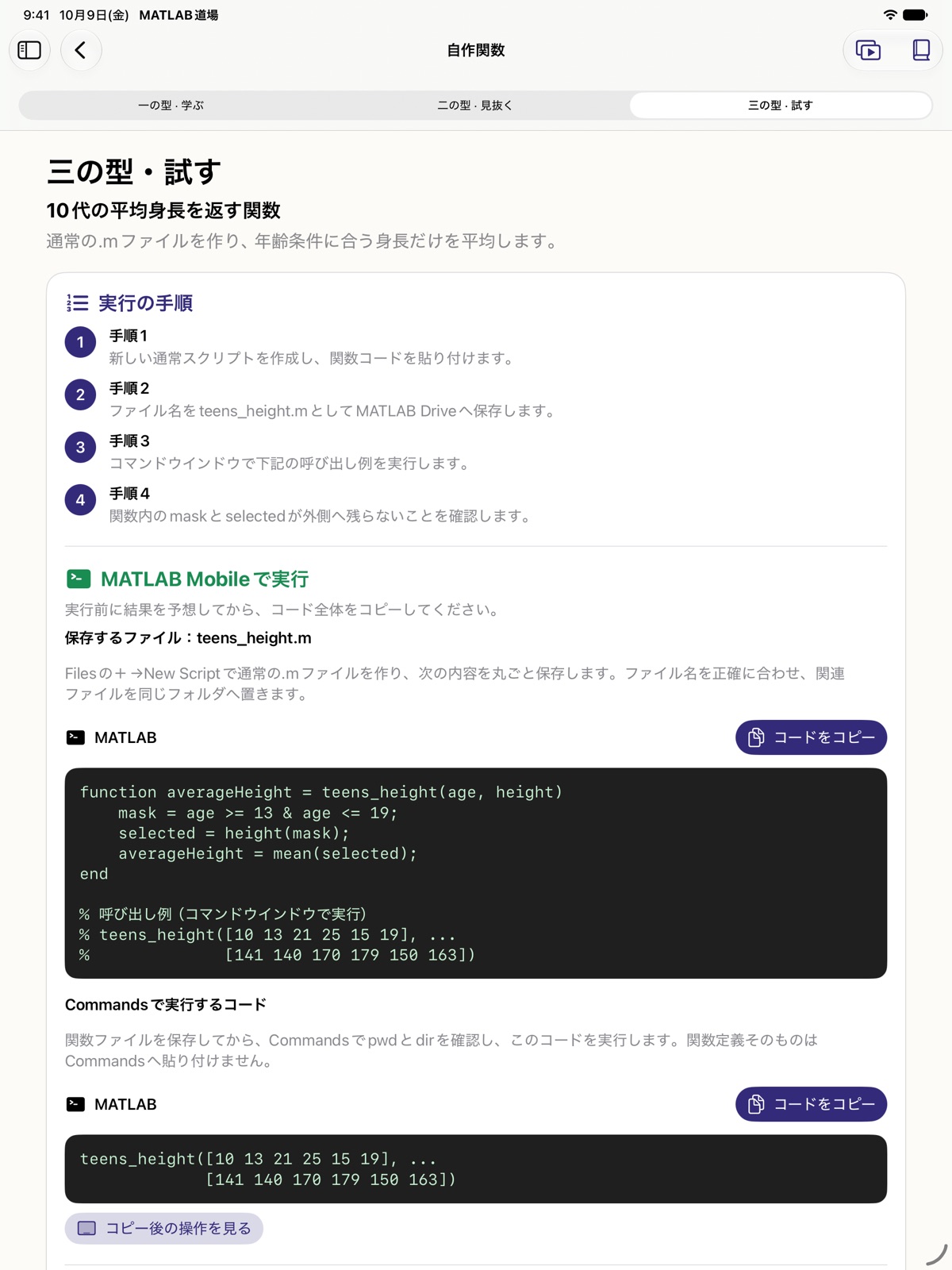
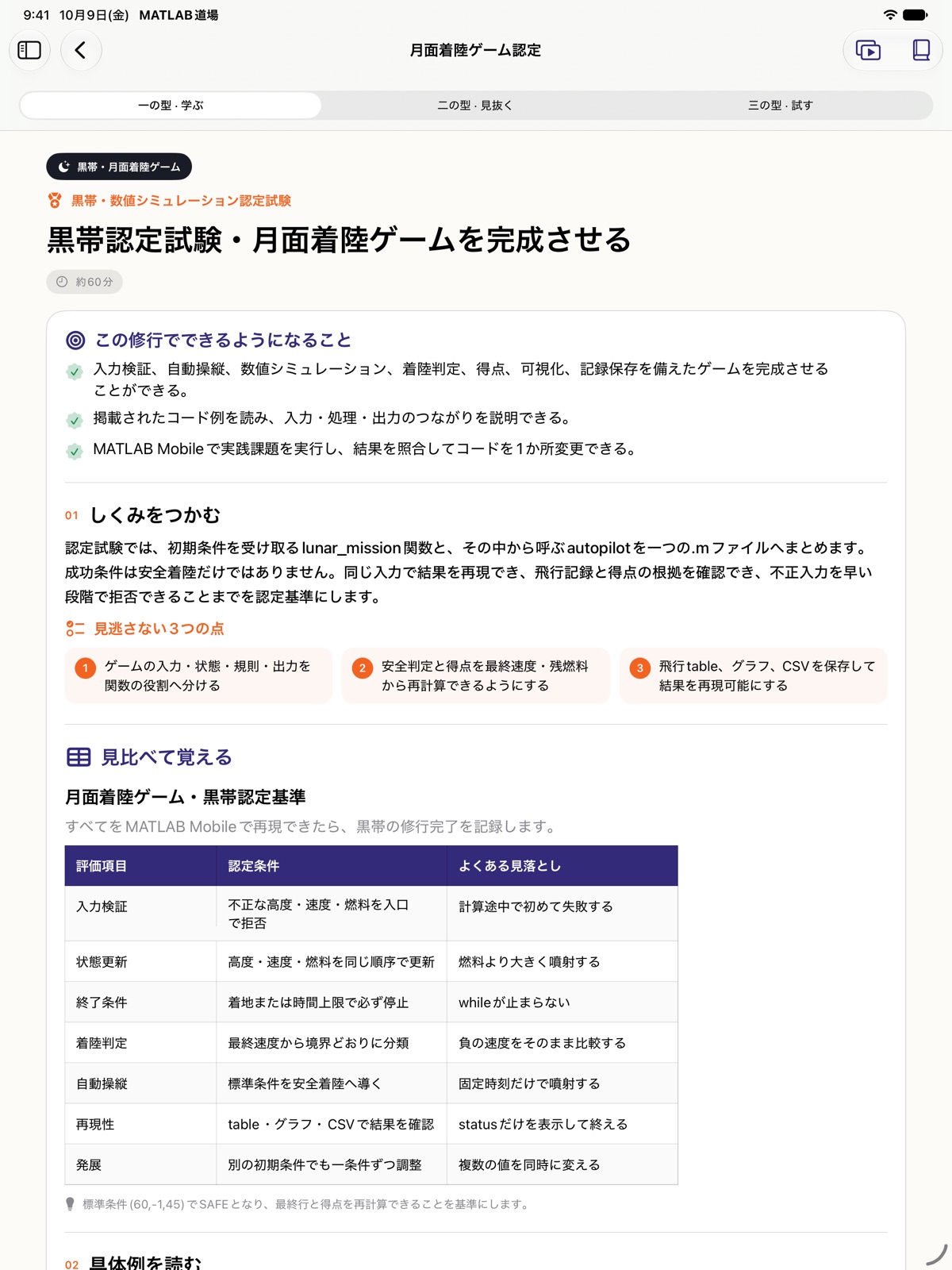
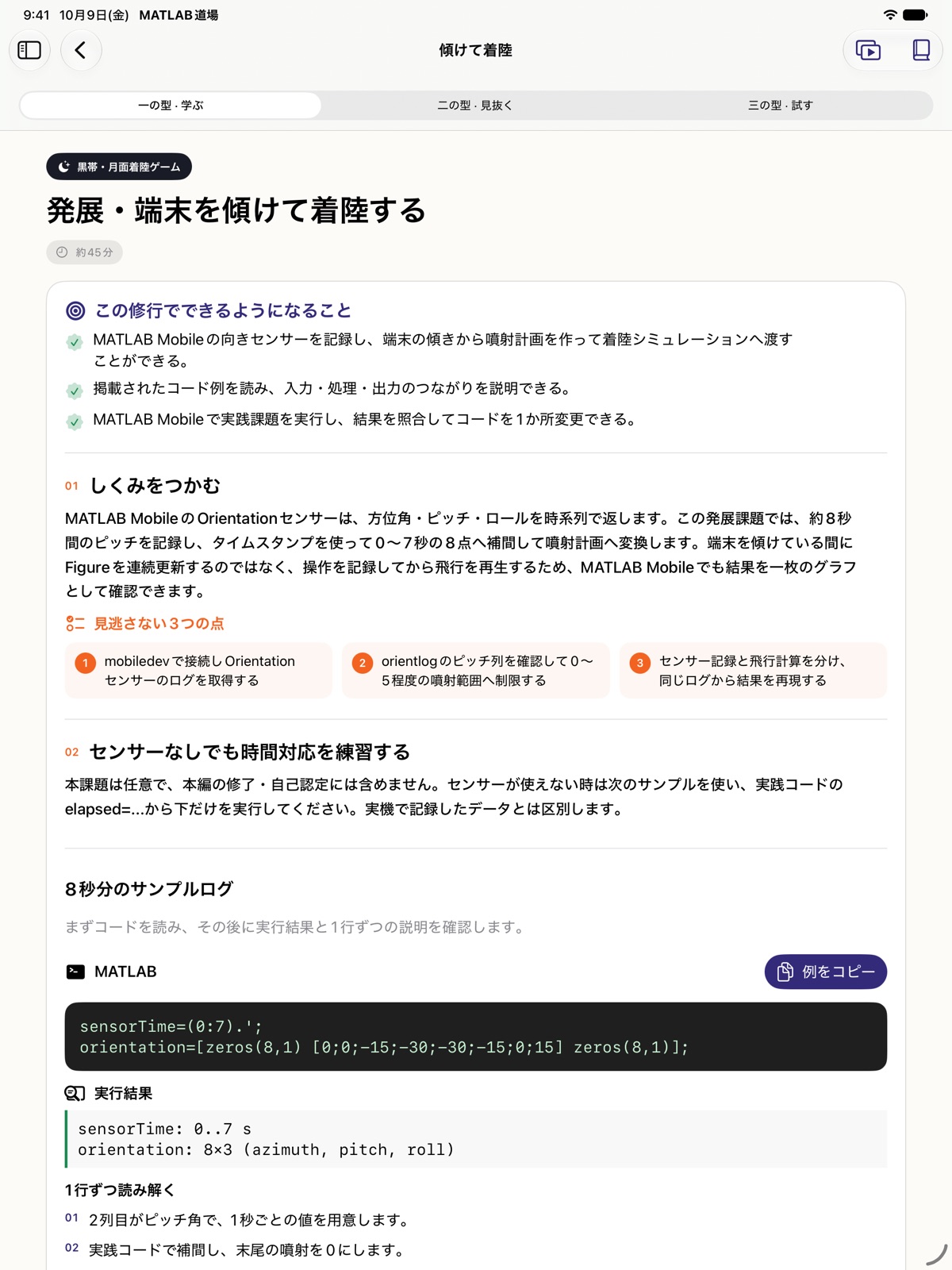
Tools for learning
Search lessons, code, functions, symbols, and errors. Return to the relevant material from a term you want to understand.
Look up functions, syntax, and common errors. Open reference material in a separate window while you study.
Save five CSV files through Files. Quiz answers, practice checks, and self-certification records stay on your device.
Requirements & privacy
Requires an iPad with iPadOS 17 or later. The interface and lessons are available in Japanese and English. Japanese is used when it is first in your iPad's preferred language list; otherwise English is used.
For code practice on iPad, use MATLAB® Mobile™. To use MATLAB® Online™, read the lessons on your iPad and run the code in a supported browser on a separate PC. Full functionality requires a valid MATLAB license linked to your MathWorks account. Check MathWorks requirements, including eligible license types and current Software Maintenance Service. Limited free access is available without a license, with feature or usage limits. Lessons and knowledge checks work in this app alone. Device-sensor tasks require MATLAB® Mobile™.
Lessons, quizzes, search, references, and error help work offline. There are no in-app purchases.
Non-personalized banners may appear on Home and lesson lists when online. There are no ad placements during lessons, quizzes, or practice. Learning remains available when ads cannot be loaded. Learning records are not passed to advertising services, but advertising SDKs still process data. Read the privacy policy for details.
Programming Dojo for MATLAB® is independently developed and is not affiliated with or endorsed by MathWorks. MATLAB and Simulink are registered trademarks of The MathWorks, Inc. See mathworks.com/trademarks for a list of additional trademarks.