学ぶ
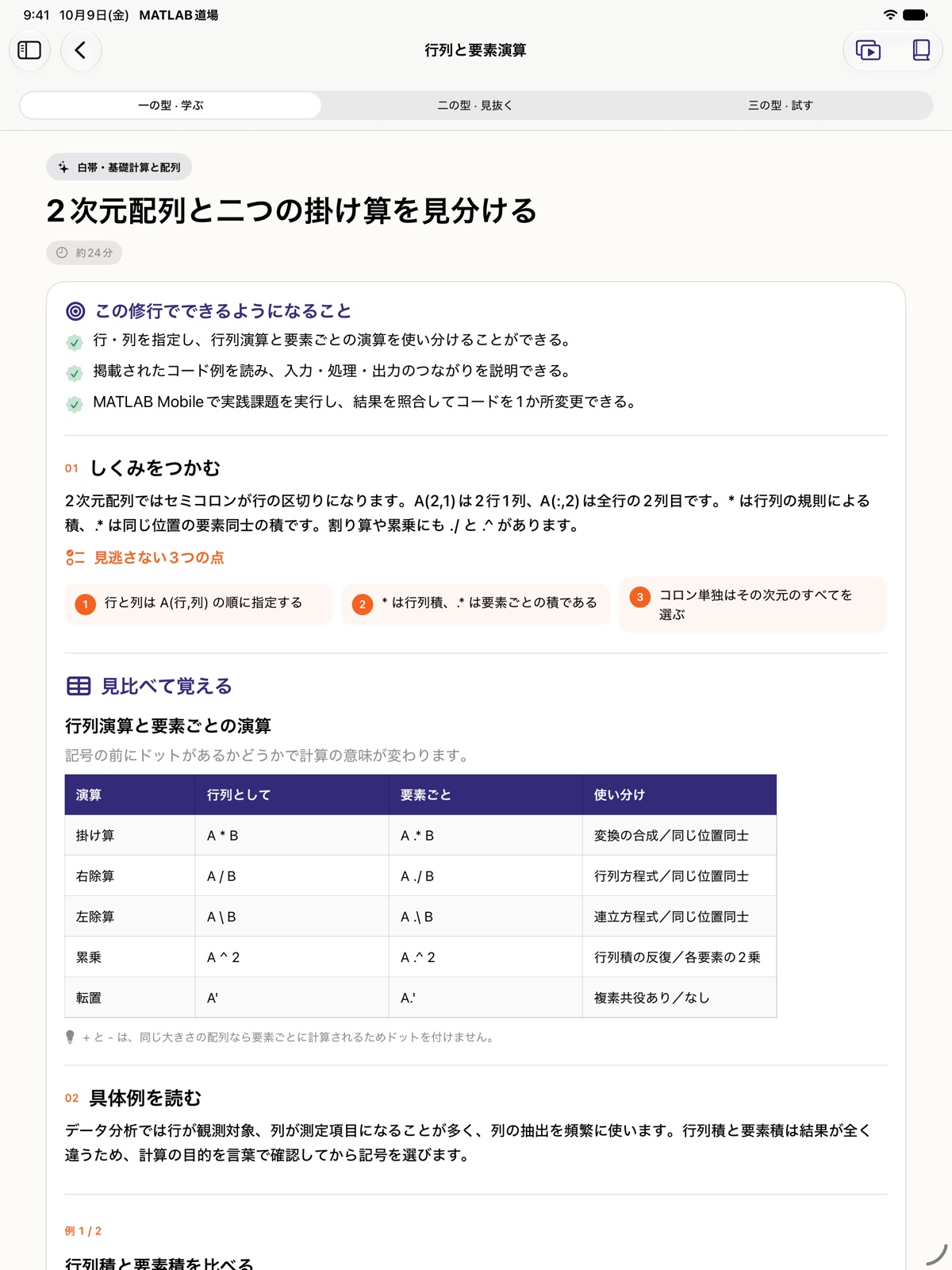
考え方と書き方を、具体例や比較表で理解。行列演算と要素演算など、混同しやすい点を見比べます。
学んで、見抜いて、コードで試す。
変数や配列の基礎から、データの可視化、数値シミュレーションへ。説明を読み、コードの結果を考え、MATLAB® Mobile™で実際に試す。白帯から黒帯まで、ひとつずつ理解を積み上げる学習アプリです。
App Storeで配信中 · 無料 · iPad専用
Learn · Reason · Practice
各修行を三段階で進めます。問題の回答と実習チェックは端末内に保存され、途中から再開できます。
考え方と書き方を、具体例や比較表で理解。行列演算と要素演算など、混同しやすい点を見比べます。
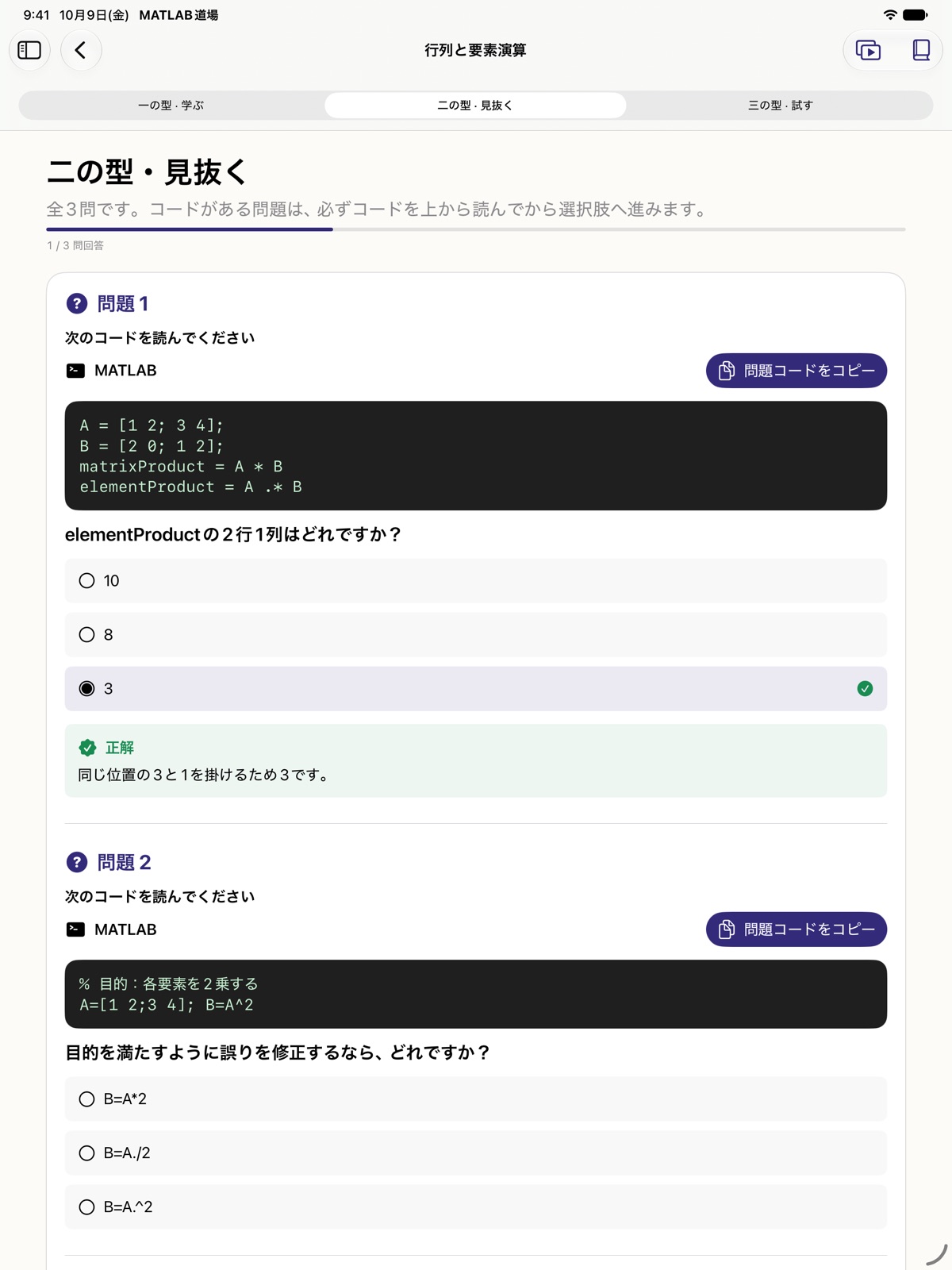
コードの結果を予想し、各修行の3問で理解を確認。正解だけでなく、その理由を読みます。
サンプルをMATLAB® Mobile™へコピーして実行。観察・検証項目をチェックし、自分で達成状況を確認します。
Four belts
本編は36修行。任意の発展1修行を含め、合計37修行と111問を収録しています。ホームの進捗は本編36修行を対象に表示します。
基礎計算、変数、配列、条件分岐を学び、短いコードで結果を確かめます。
スクリプト、繰り返し、関数などを使い、繰り返せる処理や再利用できるコードへ進みます。
ファイル、table、可視化、記述統計を学習。同梱の5種類のCSV教材で実習できます。
高度・速度・燃料をモデル化し、数値シミュレーション、操縦、飛行記録、着陸判定、自動操縦を段階的に組み立てます。
Optional advanced challenge
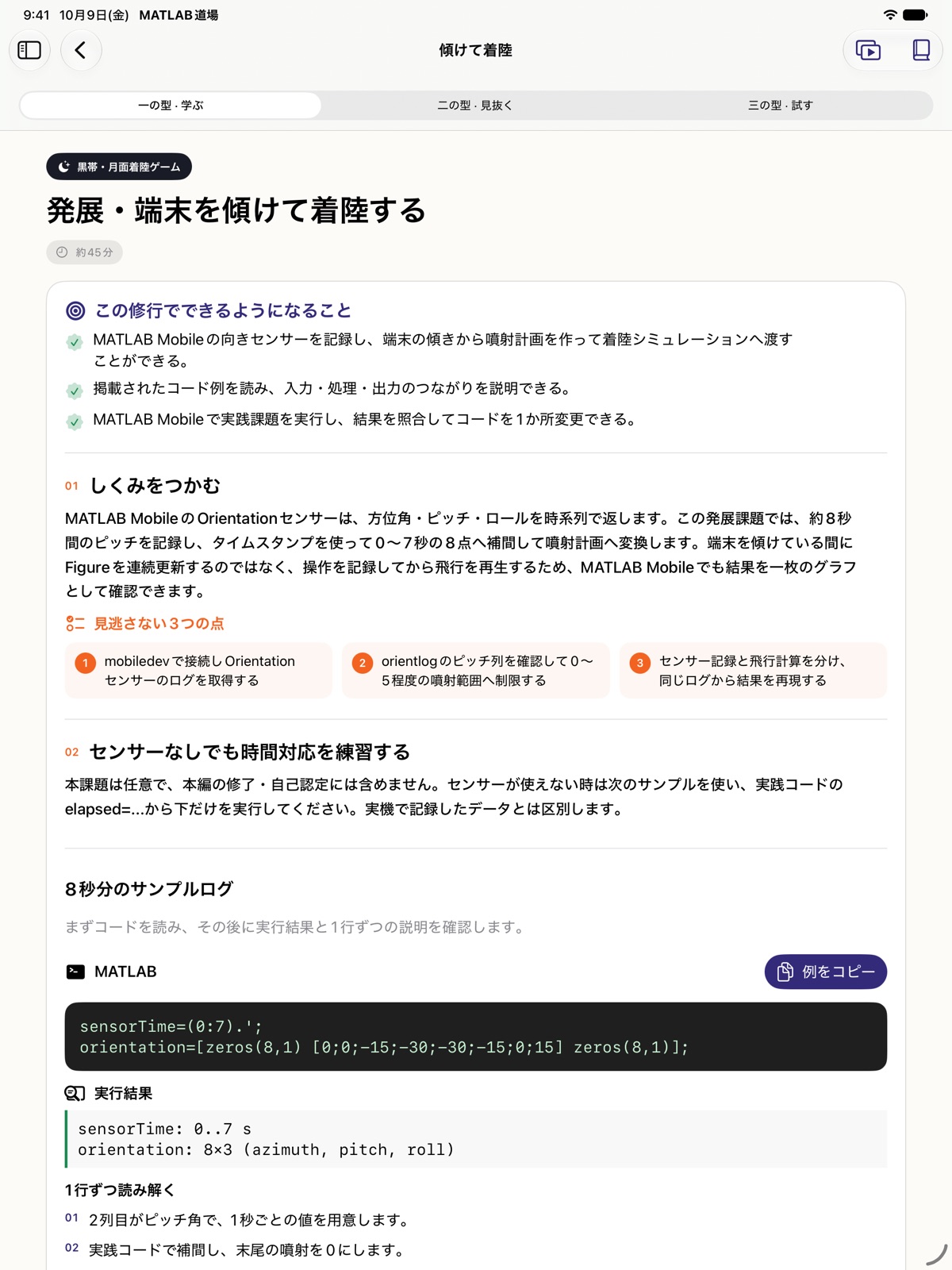
MATLAB® Mobile™で端末の向きのデータを記録し、その記録を再生して着陸の操縦に使います。センサーデータの取得、可視化、入力への変換を学ぶ任意の課題です。
リアルタイムの傾き操作をプログラミング道場 for MATLAB®内で実行する機能ではありません。コード実行とセンサー記録はMATLAB® Mobile™で行います。
問題の回答結果と実習の確認項目で達成状況を確認します。MATLABの実行結果を自動採点する機能はありません。
In the app
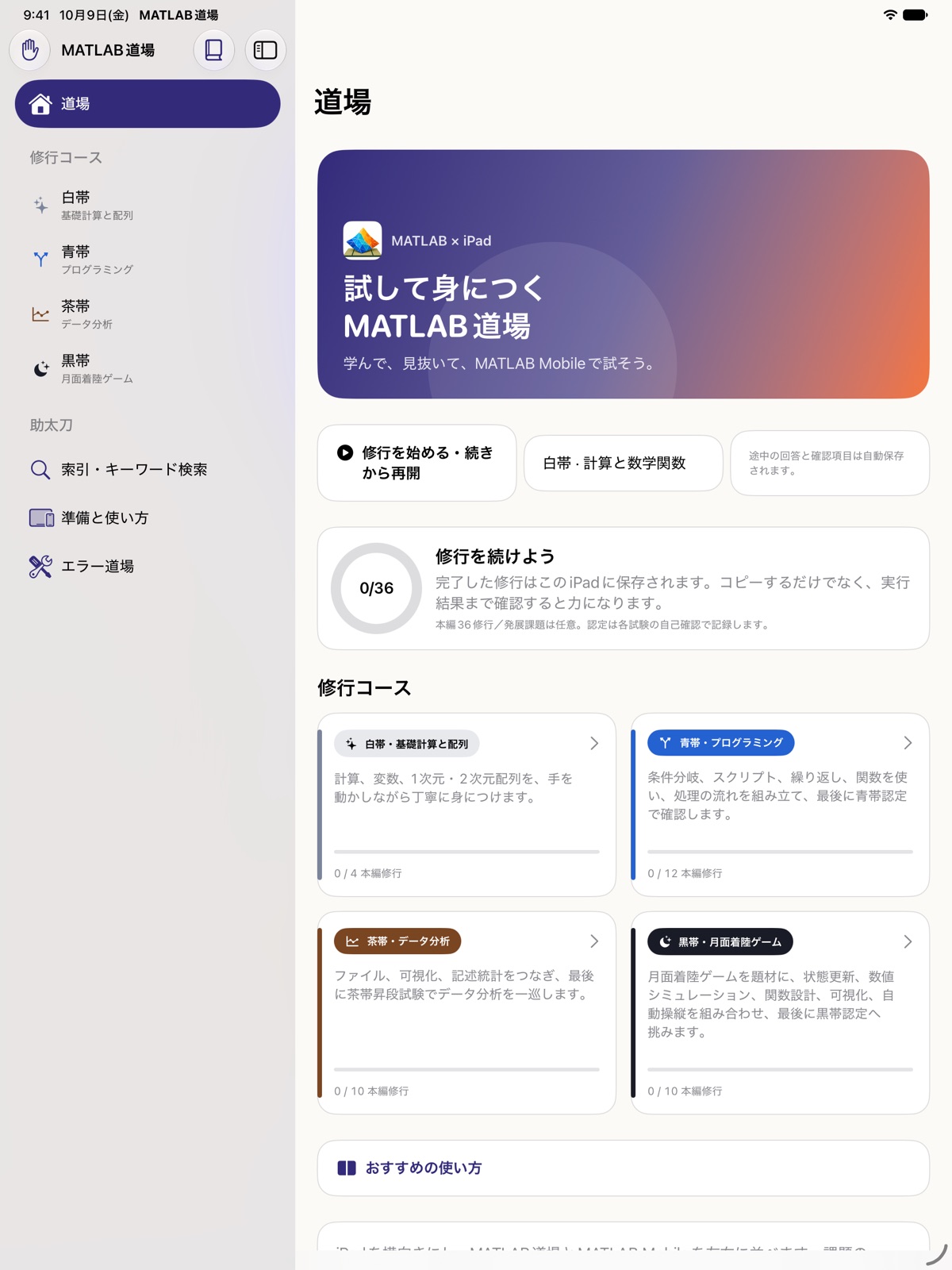
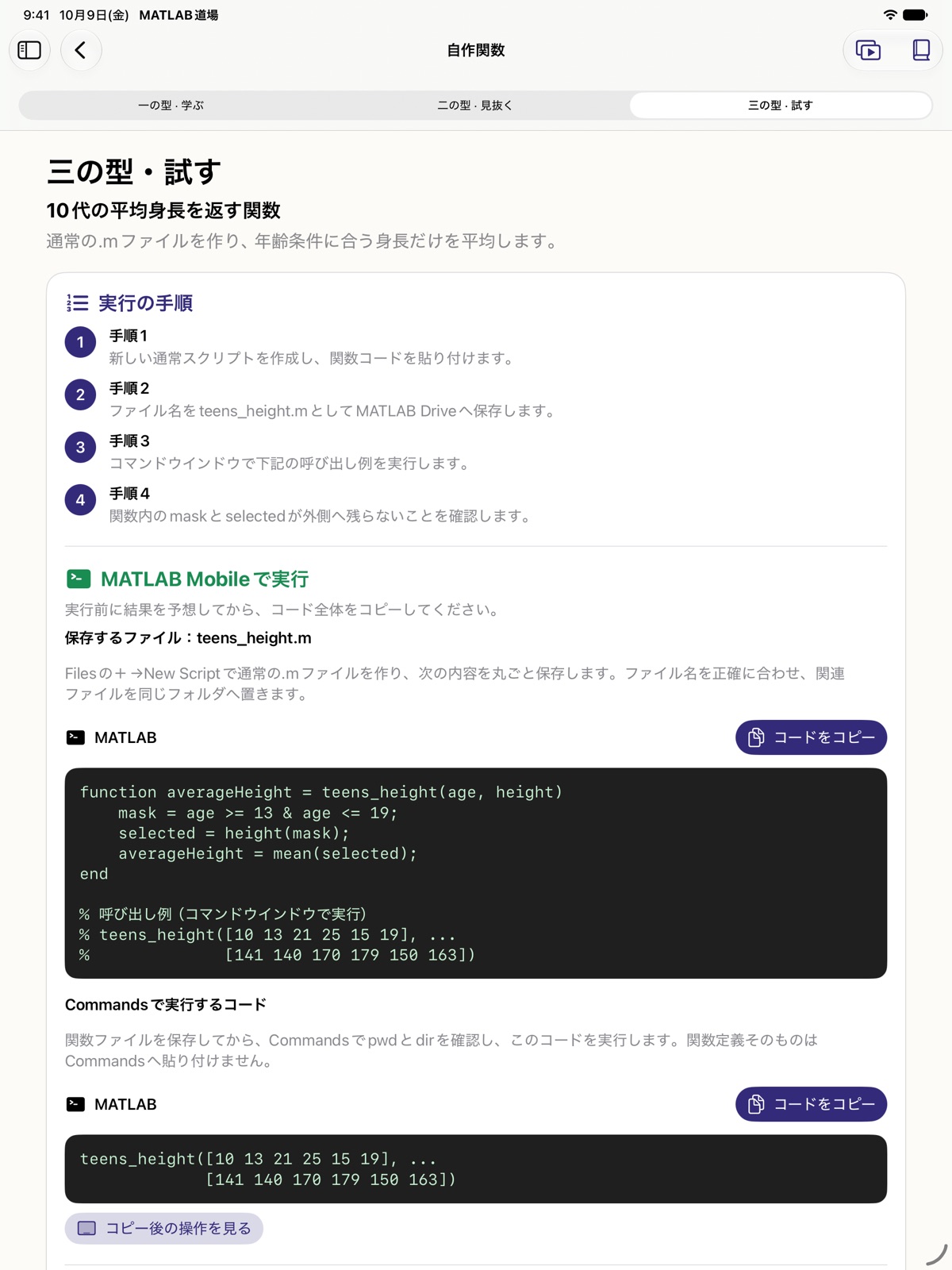
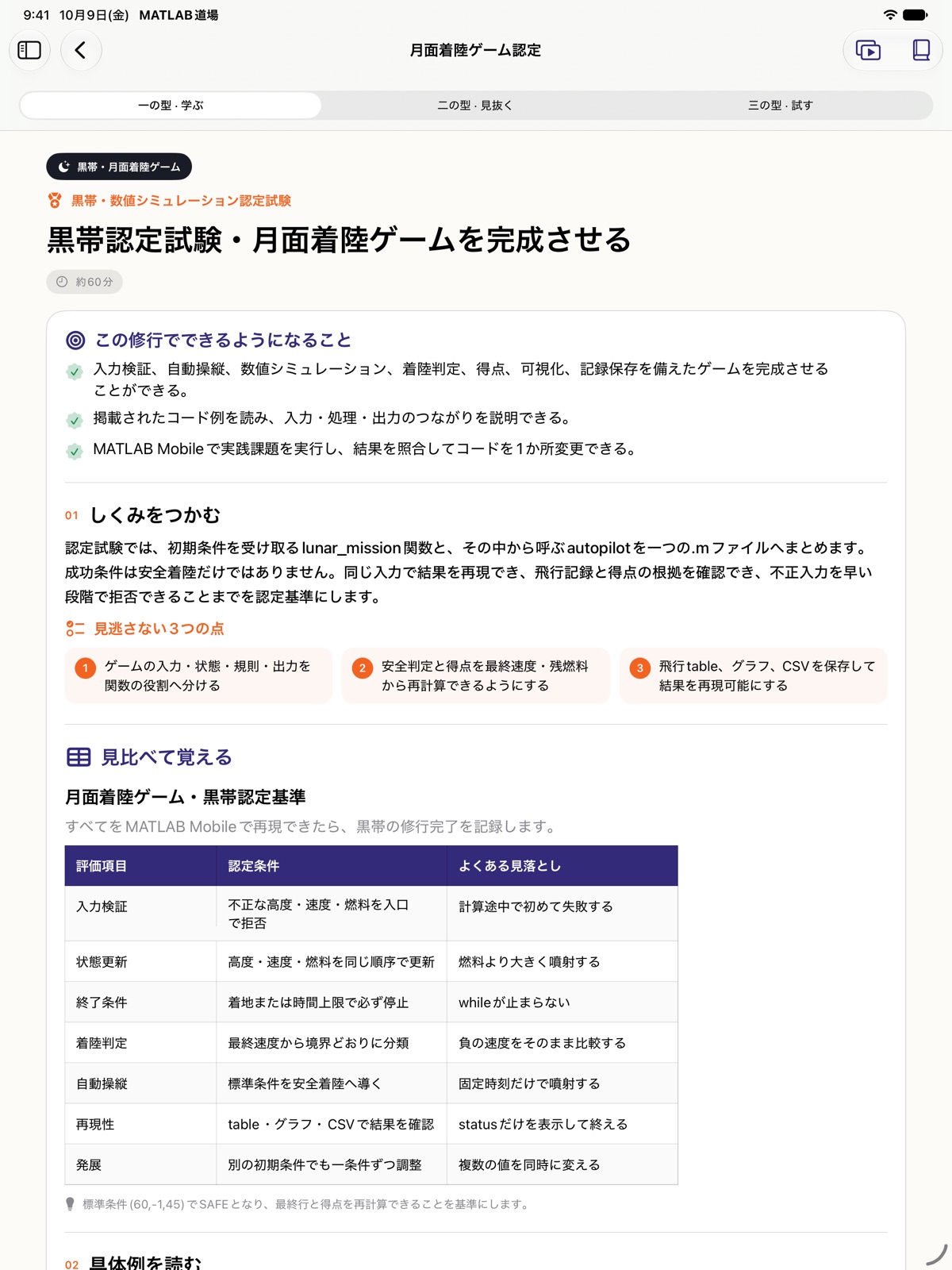
日本語のiPad画面です。画像を押すと拡大できます。月面着陸の画像はゲームを作るための教材で、ゲーム実行画面ではありません。
Tools for learning
修行本文、コード、関数、記号、エラーを検索。気になる言葉から教材へ戻れます。
関数・記号の参考資料とエラーガイドを確認。参考資料は別ウインドウでも開けます。
5種類のCSVを「ファイル」へ保存。回答、実習チェック、自己認定などの記録は端末内に保存します。
Requirements
iPadOS 17以降のiPadに対応。画面と教材は日本語・英語です。iPadでのコード実習はMATLAB® Mobile™で行います。MATLAB® Online™を使う場合は、本アプリの教材をiPadで読みながら、PCの対応ブラウザでコードを実行します。完全な機能の利用には、MathWorksアカウントに紐付いた有効なMATLABライセンスが必要です。ライセンスの種類やSoftware Maintenance Serviceの有効状態など、MathWorksの利用条件をご確認ください。ライセンスなしでも制限付きの無償利用は可能ですが、機能や利用時間には制限があります。教材の閲覧・理解確認は本アプリだけで行えます。端末のセンサーを使う課題にはMATLAB® Mobile™が必要です。
プログラミング道場 for MATLAB®は独立して開発された学習アプリであり、MathWorksとの提携や、MathWorksによる承認を示すものではありません。MATLAB and Simulink are registered trademarks of The MathWorks, Inc. See mathworks.com/trademarks for a list of additional trademarks.