Readable Markdown
Display headings, lists, tables, block quotes, links, and code blocks in a layout designed for each device.

Read Markdown, math, and images.
Open Markdown from local storage, iCloud Drive, Dropbox through the Files app, and other document providers, then read it with images and rendered math in a clean view. Work with multiple documents, and add advanced export and folder tools with Hashleaf Pro.
What it does
Choose a file and keep its structure while Hashleaf makes it comfortable to read and easy to navigate.
Display headings, lists, tables, block quotes, links, and code blocks in a layout designed for each device.
Render inline and display math so technical documents and research notes remain clear and complete.
Search the displayed document and move directly to a section with a table of contents generated from its headings.
Display relative images, open files or folders from local and cloud storage, and follow linked files within an authorized folder.
Select Markdown in Finder and press the Space bar for a preview, including rendered math.
Open multiple files, with separate windows on Mac. Hashleaf Pro exports polished PDFs and self-contained HTML.
In the app
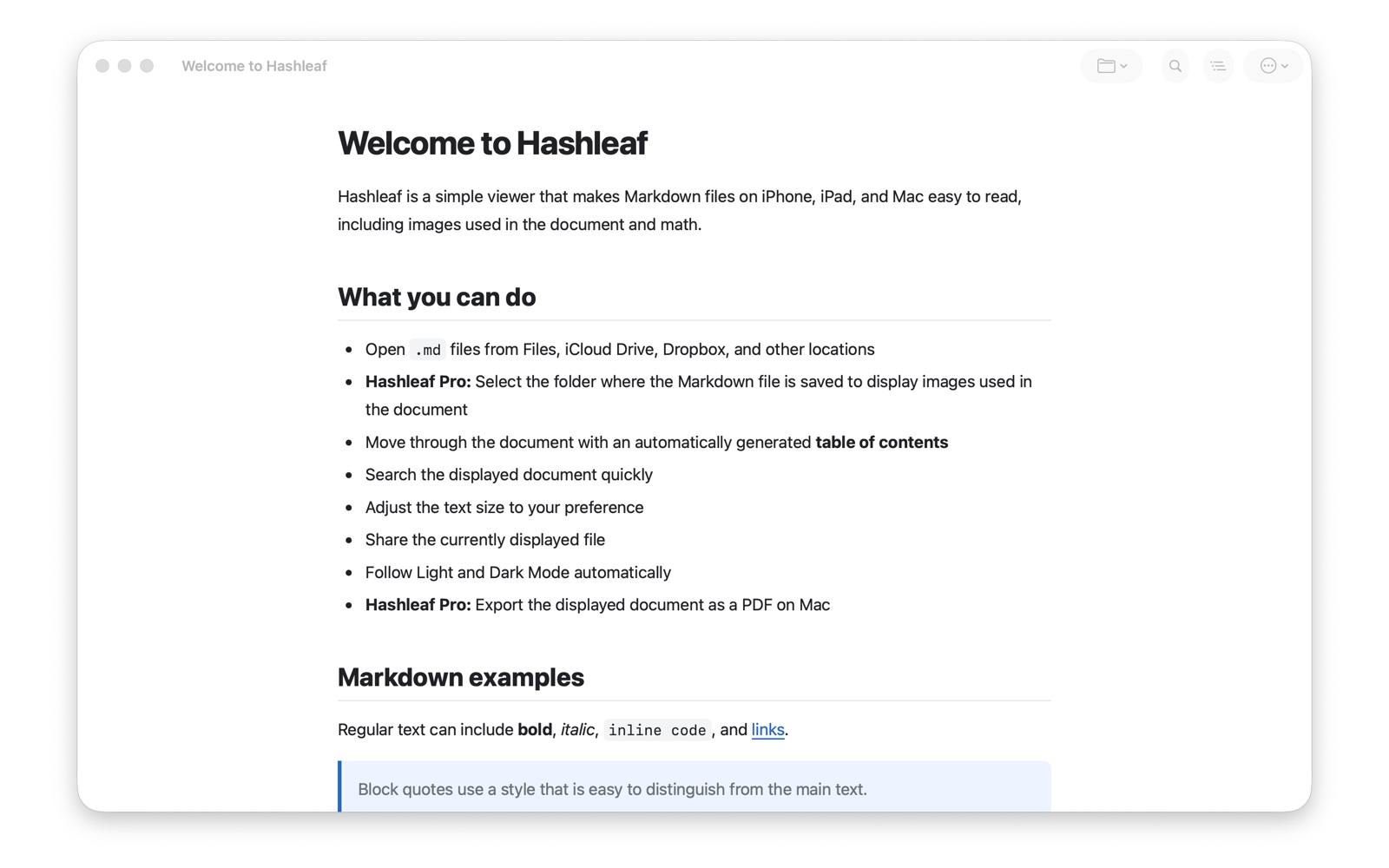
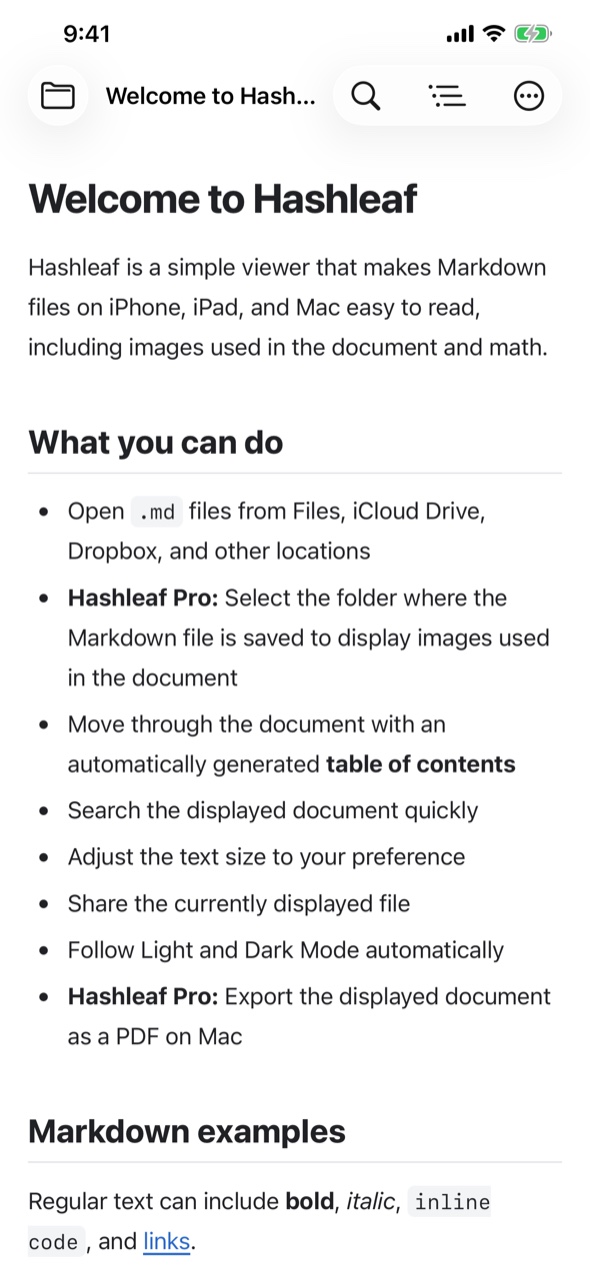
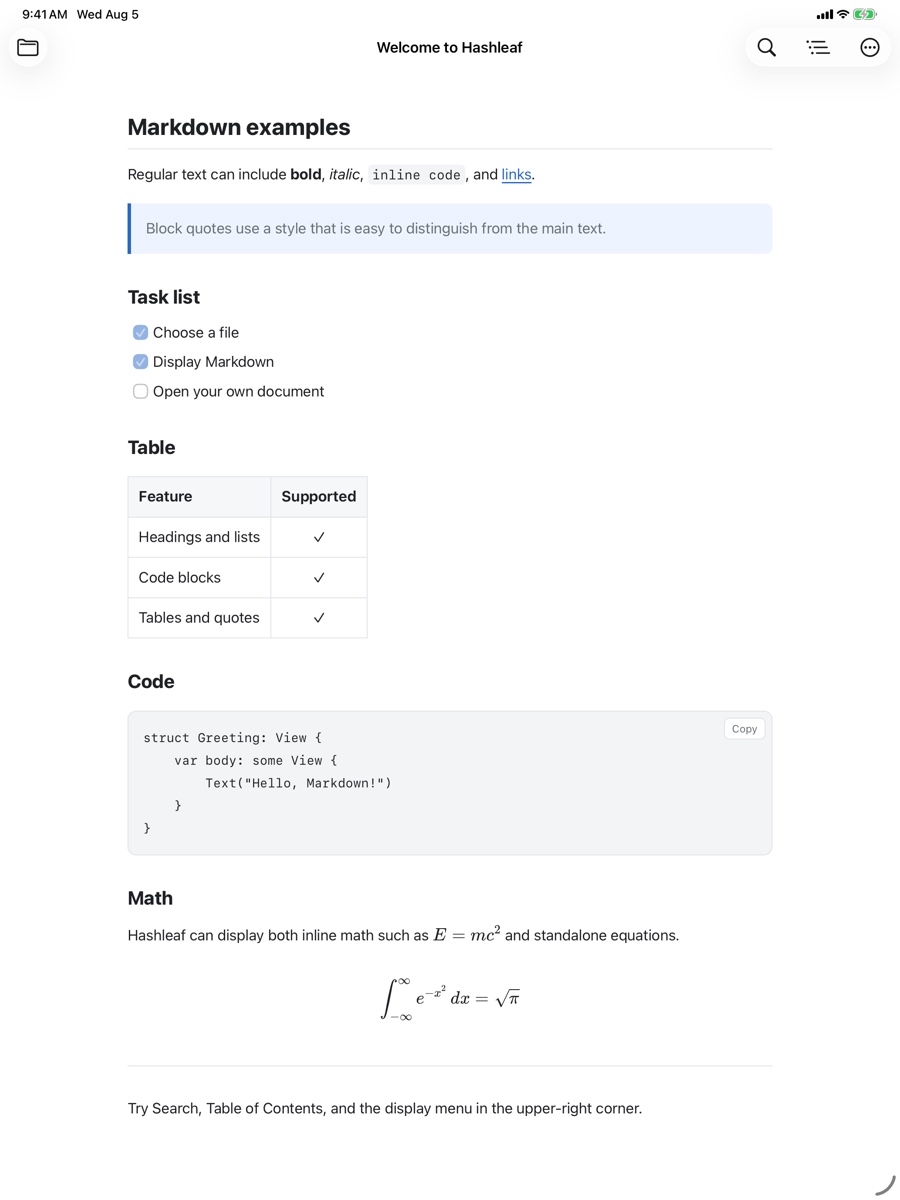
Free
Read Markdown, relative images, math, tables, and code. Search, open files and folders from cloud storage, work with multiple documents and Mac windows, and use Quick Look.
Hashleaf Pro
Export PDF or self-contained HTML with themes, custom CSS, headers, footers, page numbers, a table of contents, and batch or combined output. Also search folders, check links, and use live preview on Mac.
Requirements
iOS/iPadOS 17 or later and macOS 14 or later. UTF-8, UTF-16, and Shift_JIS are supported. The interface follows your device language in English, Japanese, Korean, Simplified or Traditional Chinese, Spanish, French, German, Brazilian Portuguese, or Italian.
Support
Find instructions and troubleshooting for images, cloud storage, math, Quick Look, export, folder tools, and Hashleaf Pro.
App Store
Available for iPhone, iPad, and Mac. Core features are free, and Hashleaf Pro is a one-time purchase.